New in v2.30 · Take over any control mid-mix — the AI hands it to you and keeps the set running
Drop your tracks. Get a DJ set that sounds hand‑mixed.
One click turns any folder into a set where the beats actually lock — every
beatgrid anchored to the real kick drums, harmonic key order, an energy curve, and long club-style
blends that sound hand-mixed. Analyzed privately on your own computer. Free forever for home use.
On a phone right now? The download is a
desktop app (Windows/macOS) — but you can hear a full AI
set and try the browser mixer here, no install. It's a beta, and it's not the full app.
No credit card · No trial clock · Windows 10/11 · macOS (Apple Silicon) beta · Works on 2 of your computers
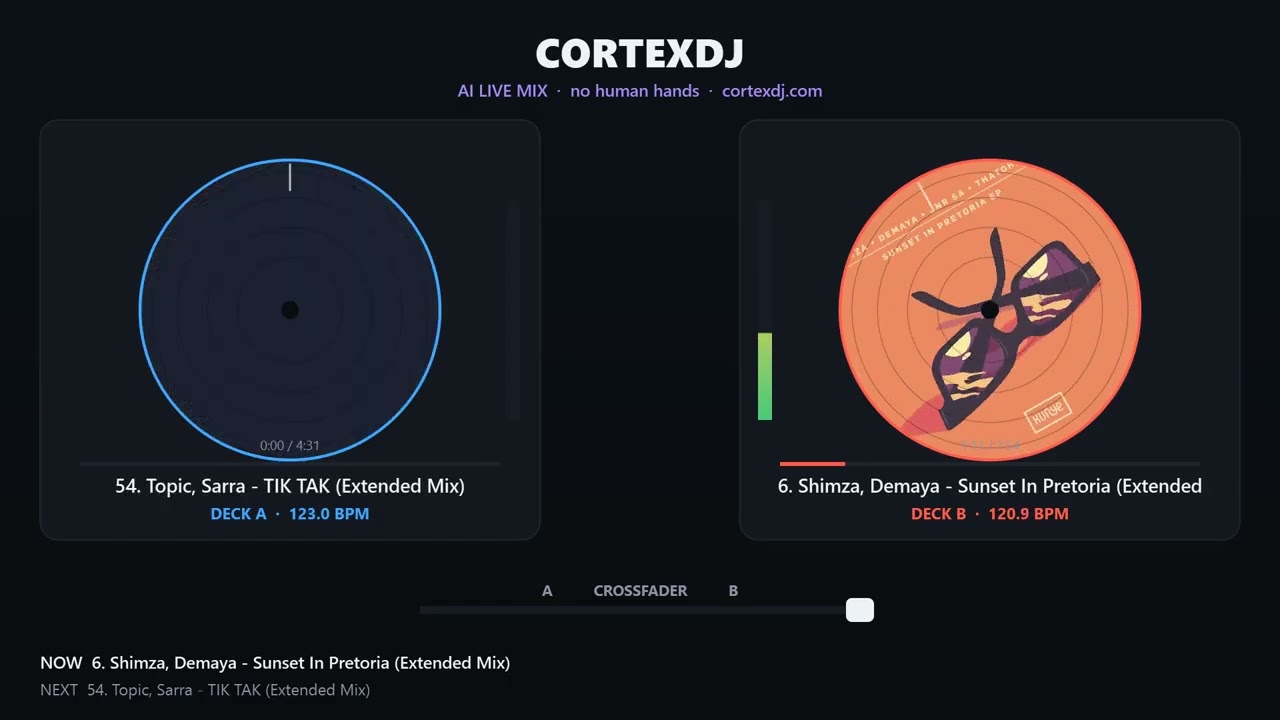
The video below is a real 40-minute tech-house set CortexDJ mixed live — no hand
edits, nothing fixed in post. Keys matched, phrases aligned, energy curved, with clean bass
swaps, filter sweeps and echo transitions. Play it and try to find the seams.
▶
Hear a full transition
80 seconds from a real
set — a beatmatched double-drop with a clean bass swap, built entirely by the AI. Tap to play.
We run CortexDJ on our own channel — multi-hour sets, one take, no edits, with the
full tracklist timestamped. The AI even benches tracks it can’t lock cleanly, and says so.
Catch a transition that stumbles? Timestamp it in the comments — real catches shape the
next release.
▶
5 hours 8 minutes ·
Beatport Afro House Top 100 · 84 tracks, every transition timestamped · one take, no edits
If any of these feel familiar, you already know why your library sits there unmixed.
🔇
Dead air on stream
You alt-tab to drag in the next track. Four seconds of silence. Chat types “F”.
By the time the beat drops, viewers are gone.
⏳
Three hours of prep. One hour of music.
Friday night: setting cues, tagging keys, reordering the playlist again. Saturday,
the one transition you didn’t rehearse still falls apart.
😬
Every transition exposes you
Two basslines fighting. A key clash you catch two bars too late. Each blend tells
the room exactly how long you’ve been doing this.
You already own the tracks — what’s missing is
ten years of mixing skill, and that part is now one click.
How it works
Three steps to a pro mix
No beatmatching practice. No music theory. No hours building a setlist.
1
Drop a folder
Point CortexDJ at your tracks. It analyzes every file — key, energy, BPM, intro/drop/outro —
studio-grade, and in seconds.
2
Pick the vibe & length
“One-hour warm-up set.” “Peak-time, 90 minutes.” The AI selects the right tracks, in the right
harmonic order, on the right energy curve.
3
Mix, record, stream
Get a seamless, beatmatched mix with clean bass swaps and tasteful transitions. Export it,
stream it to YouTube/Twitch, or perform it live on the decks.
Features
Everything a great mix needs — automatic
The analysis engine pros pay for, the mixing skill years take, built in.
🎯
Studio-grade analysis
Camelot key, 1–10 energy and exact BPM for every track — tuned to agree with Mixed In Key on key & energy.
🎚️
Kick-locked beatmatching
Every beatgrid is re-anchored to the track’s real kick drums — so two tracks stay locked from the first bar to the last. No drift. No trainwrecks.
🚫
It refuses to trainwreck
If a track’s grid can’t be locked with confidence, the AI benches it and tells you — it never gambles your set on a shaky blend.
🤝
Grab the decks mid-mix
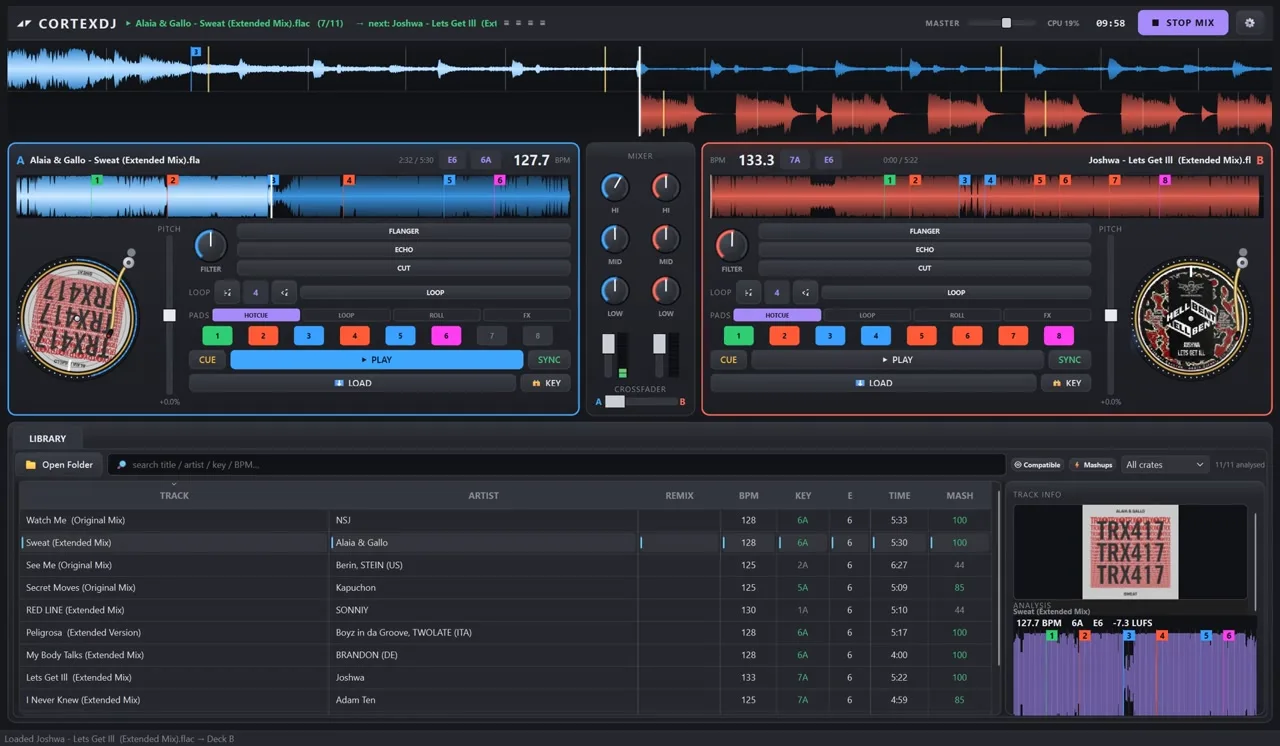
Touch any EQ, filter, FX or the crossfader while the AI mixes — that control is yours until the next transition. You’re the DJ; it’s the crew.
✨
Creative transitions
Filter sweeps, echo throws and top-down EQ carves — the AI rides the decks like a human, changing up every few blends so the set never sounds robotic.
🧠
Auto-pick the best tracks
Point it at a 100-track folder and say “one perfect hour.” It picks the best set — one beatmatchable tempo band, all in key, shaped to your vibe — not just the first that fit.
🎹
Harmonic mixing
Sequencing follows the Camelot wheel — in-key blends first, bold moves only where keys agree. Suggests your next track, too.
🔊
Clean bass swaps
One bassline at a time — a kick-synced low-end handover, never two basslines fighting.
📈
Energy-curve sets
Warm-up → peak → cool-down. Tell it the length and the vibe; it shapes the whole night.
📡
Record & live-stream
Bounce a master, capture HD video, or go live to YouTube, Facebook and Twitch.
🎛️
Full live decks
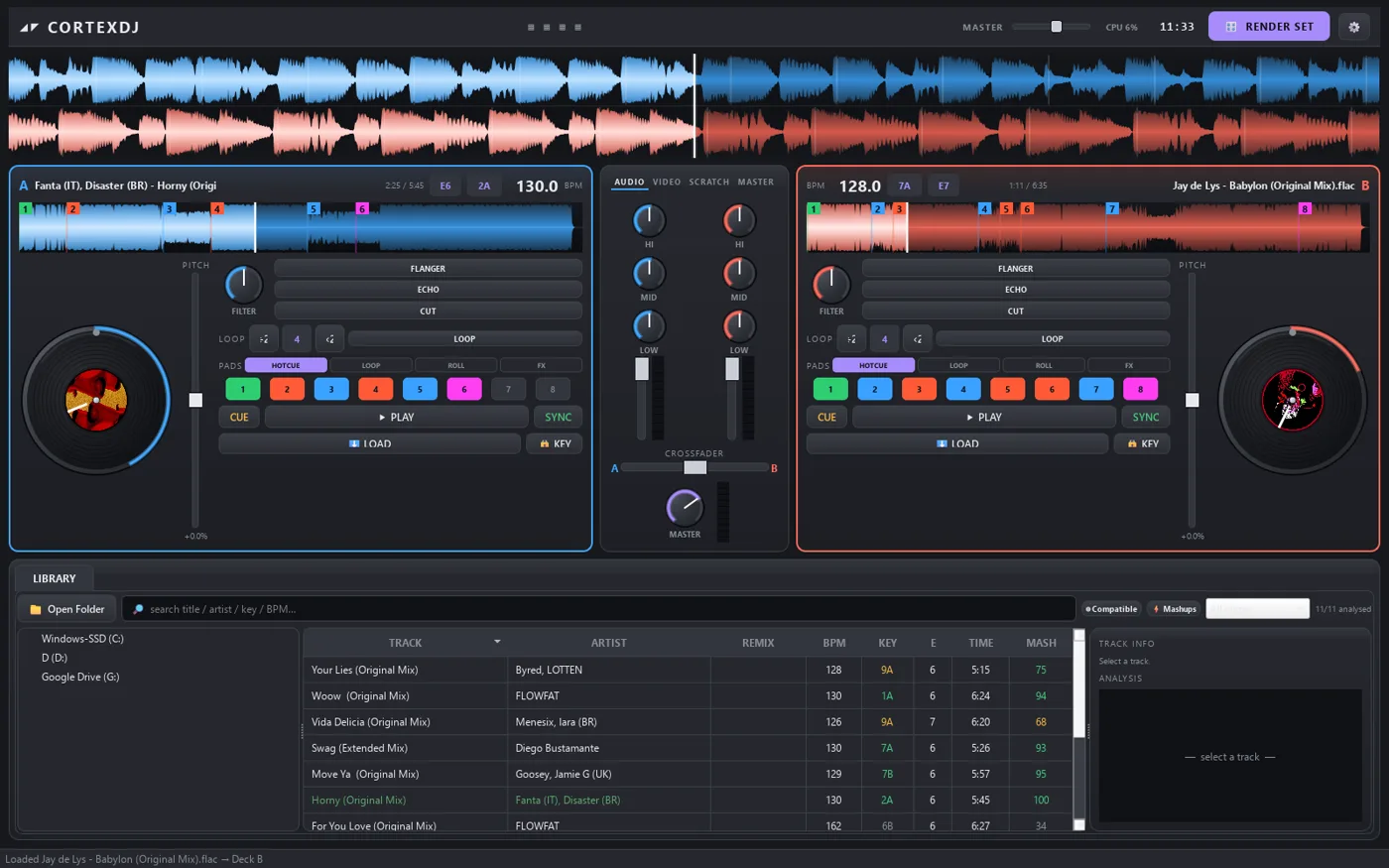
Prefer hands-on? A VirtualDJ-style console with EQ, FX, loops, hot-cues and pads — and you can watch the AI ride it all live, knobs turning.
🎹
Controllers just work
Plug in a DDJ-FLX4, DDJ-400, Mixtrack or Inpulse — auto-detected and fully mapped in seconds. MIDI-learn covers everything else. (Pro)
🥁
Stem separation
AI splits bass, drums and vocals for cleaner swaps and vocal-clash avoidance.
⚡
Runs on your PC
Your library stays yours — analysis is local, private, and there’s nothing to upload.
40-min
set from 11 tracks — one take, live (hear it above)
Studio-grade
key & energy detection
100%
local & private
∞
sets from your own library
Compare
Why DJs switch to CortexDJ
Traditional DJ software helps you mix. Analysis tools tell you what mixes. CortexDJ does the mixing.
🔒 Secure checkout by Lemon Squeezy💳 Visa · Mastercard · PayPal · Apple Pay↩ 30-day money-back on Lifetime🧾 Sales tax handled for you
FAQ
Questions, answered
None. Drop a folder, pick a length and a vibe, and CortexDJ builds a beatmatched,
harmonic set for you. When you want to learn the hands-on side, the live decks are there.
It’s tuned to agree with Mixed In Key on key and energy, with exact BPM and
structure detection — and since v2.26 every beatgrid is re-anchored to the track’s
real kick drums, so beatmatching holds on real music, not just on test loops.
Hear it across a full set: The Seams Challenge — 40 minutes from 11
tracks, every transition timestamped so you can jump straight to the seams.
Real. The Seams Challenge is a 40-minute set the app built from 11 tracks in one
take — no hand edits, nothing fixed in post. Every transition is timestamped publicly at
/mixes.html, so you can jump straight to each seam
and judge every blend yourself.
Really beatmatched. A phase-locked sync keeps both tracks’ kick drums
aligned through the whole overlap (~22 seconds minimum), with the bass handed over last so
there’s only ever one bassline. And if a track’s grid can’t be locked with confidence, the
AI leaves it out of the set and tells you — it never gambles on a shaky blend.
The analysis is genre-agnostic: a neural beat-and-downbeat detector finds the
real kicks, the true tempo and the song structure — tech house, hip-hop, D&B or your
wedding playlist. The honest caveat: tracks with a very unstable groove get benched from
the auto-mix rather than mixed badly, and you’ll see exactly which ones.
No. Analysis runs entirely on your computer. Your library, your mixes and your
analysis never leave your machine.
Local files: MP3, FLAC, WAV, AIFF, M4A/AAC and OGG. It reads the tags
(title, artist, cover, and any existing key/BPM) and analyzes the audio itself.
No — CortexDJ mixes your own local files, not Spotify/Apple Music/TIDAL
libraries. That's what lets analysis and mixing run fully offline, with no track ever
disappearing mid-set when a license lapses.
Windows 10 or 11, 64-bit, or macOS (Apple Silicon, beta) — ~8 GB RAM. Any modern CPU runs the mixing and analysis.
The optional AI stem separation (for mashups & clean bass swaps) is CPU-heavy —
faster with more cores; no dedicated GPU required.
Yes, on Pro. Record to audio or HD video and go live to YouTube, Twitch or
Facebook. Free renders your AI mix to a file and plays live on the decks; recording +
streaming + MIDI are Pro ($7.45/mo or $59/yr, cancel anytime) or Lifetime ($127 one-time).
Streaming is a tool, not a music license — see the next question.
CortexDJ gives you the streaming tools (Pro tier), not music licenses. The
rights to the tracks are your responsibility — exactly as with any DJ software. Many
streamers use royalty-free or DJ-friendly music; platforms apply their own copyright rules
regardless of what software mixed the set. We mix; we don't license.
Cancel anytime — the app doesn't brick. You drop back to the free tier:
library, analysis, AI auto-mix and rendering keep working, and nothing you've made is lost.
You lose the Pro extras (MIDI, recording, live-streaming) until you resubscribe. Prefer no
subscription? Lifetime is $127 once, with a 30-day money-back guarantee.
Popular controllers are auto-detected and mapped the moment you plug them
in: Pioneer/AlphaTheta DDJ-FLX4, DDJ-FLX2, DDJ-400, DDJ-REV1, DDJ-FLX6, DDJ-1000,
DDJ-FLX10, Hercules DJControl Inpulse 200/300, Numark Mixtrack Pro FX / Platinum FX and
Party Mix II. Anything else that speaks class-compliant USB MIDI maps in seconds with
MIDI-learn (press a control in the app, touch the knob on your hardware, done) —
and mappings import/export so you can share them. Not sure about your model? Email
support@cortexdj.com before you buy — Pro cancels
anytime, so trying your hardware is low-risk.
Not yet — it's on the roadmap. Today CortexDJ keeps its own persistent library,
crates and cue points; cross-software export (Rekordbox/Serato) is planned.
Every CortexDJ key — free, Pro or Lifetime — works on up to 2 computers
(say a desktop and a laptop). Reinstalling or updating on a computer you've already
activated doesn't use another slot. Need to move to a new machine? Email
support@cortexdj.com and we'll free a slot.
It's what makes the mixer run. CortexDJ installs and opens without a key — you can
load tracks and analyse them — but it won't build a mix until you enter one. The key also ties
your 2 computers to you. No card, no trial clock: leave your email on the download page and it
arrives in seconds, then paste it once under Settings → About.
Yes — a macOS beta is here (Apple Silicon). The AI auto-mixer, live decks,
library, analysis and stem-based mashups all work — the AI stem engine now ships inside the Mac build.
Recording and live-streaming are wired up on Mac too, but they're the newest part of the beta, so
expect rough edges. It's code-signed and notarized by Apple, so it opens with a normal double-click — no
Gatekeeper warning. Download the beta.
Build your first set tonight — free forever
The free home-use plan isn’t a trial: full AI mixer, AI mashup moments, library and crates,
render finished sets to a file. Your free license key lands in your inbox and works on 2 computers.
No credit card. No trial clock.
Pro (MIDI, recording, streaming) is optional — and Lifetime comes with a 30-day money-back guarantee.
On a Mac? Try the macOS beta (Apple Silicon) — auto-mix, live decks, library & stem mashups all work; recording/streaming are newly wired up and still beta. You'll get the same free key by email.
On a phone? CortexDJ itself
is a desktop app — but the browser mixer and a full AI set
run right here, no install. It's a beta with two decks and one-tap auto-blend, not the full app.
Already installed CortexDJ? It won't build a mix until you enter a key — get yours free:
The key unlocks the app on 2 computers — no card, no trial clock. Check Spam/Promotions if it doesn't arrive in a minute.
Reviews
What early users say
“QUOTE_1”
NAME_1 · ROLE_1, CITY_1
“QUOTE_2”
NAME_2 · ROLE_2, CITY_2
“QUOTE_3”
NAME_3 · ROLE_3, CITY_3
CortexDJ — free forever · beatmatched AI sets from your own music · Windows & macOS beta
CortexDJ installs and opens without one —
load your tracks, run the analysis — but it won't build a mix until you enter a key.
It's free, arrives in seconds, and covers 2 of your computers. No card, no trial clock.
Free is the full AI mixer —
analysis, auto-mix, mashups & rendered sets. Recording, streaming & MIDI are Pro.
No spam. The key goes in Settings → About → Activate.
CortexDJ is a
desktop app (Windows/macOS), so we haven't started the ~390 MB download on this
device — we'll email the link instead, so it's waiting on your computer. Meanwhile,
try the browser mixer (beta).
Windows may show a SmartScreen
notice on first run — click More info → Run anyway (safe; code-signing is in progress).