Get CortexDJ
Free for home use and built for house music. Install it, point it at a folder of your own music and make your first set. That first set needs no key and no email.
Windows
For this computerThe installer is code-signed. If Windows SmartScreen still says “Windows protected your PC” (it can for a brand-new release), click More info, then Run anyway. It updates itself in place after that.
macOS
For this computerSigned and notarized by Apple, so it opens with a normal double-click. Unzip it and drag CortexDJ.app into Applications before you open it, so updates replace the right copy. With Homebrew: brew install --cask nessebar/tap/cortexdj
Want to hear it on your own music first? Make a 15-minute set in your browser: no download, nothing uploaded.
Intel Macs and Linux aren’t supported. You’re on a phone or tablet: CortexDJ is a desktop app, so leave your email below and we’ll send the links to your inbox for later.
What happens next
From download to a finished set in three steps.
Install
Run the installer (Windows) or drag the app to Applications (Mac), then open CortexDJ. If Windows SmartScreen asks first, click More info → Run anyway. From then on CortexDJ checks for updates each time it starts.
Make your first mix
Point it at a folder of your music; it analyzes every track once. Switch to Simple at the top of the window, pick what to mix, how long and the transitions, and press Make a mix. Save it as a WAV or FLAC file, or play it live. No key needed for this one.
Get your free key
Every set after the first needs a key. It’s free and covers two of your computers. In the app: Get a free key → confirm your e-mail → done (version 2.32 and later). Or use the form below; the key goes in Settings → About → Activate.
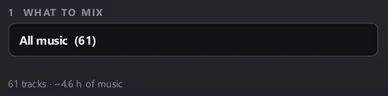 1 · What to mixAll your music, a crate, or a genre from your own tags.
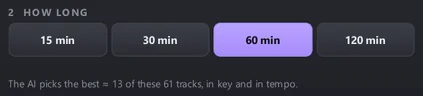 2 · How long15, 30, 60 or 120 minutes; it says how many tracks it will pick.
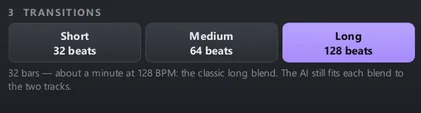 3 · Transitions32, 64 or 128 beats: about 15 s, 30 s or a minute at 128 BPM.
 ▶ Make a mixSave it to a file, or play it live on the decks.
Your free key, by email
No card, no trial clock. We’ll email the key plus both download links.
Check Spam/Promotions if it doesn’t arrive within a minute.
System requirements
- Windows 10 or 11 (64-bit), or macOS 13+ on Apple Silicon
- About 8 GB of RAM and about 1.2 GB of free disk space (on Macs with 8 GB of RAM or less, Safe buffering is on by default for steadier playback)
- Any modern CPU. No graphics card needed; stem separation is faster with more cores
- Your own music files: MP3, FLAC, WAV, AIFF, M4A/AAC or OGG
Good to know
- Your music is analyzed on your computer and is never uploaded.
- The app checks cortexdj.com for updates when it starts and verifies each update’s checksum before installing it.
- What else it sends, and how to turn it off: privacy policy.
- New to it? The user guide walks through the first set. Recent changes: changelog. Questions and ideas: the community board.
Your first set is one download away
Free for home use, with no key and no email for the first set. Pro adds controllers, recording and live-streaming when you need them.